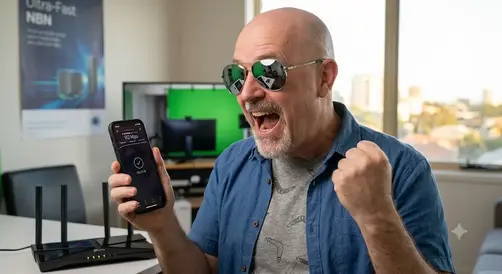
Bloody Fast:” The TP-Link Review You Actually Need
I bought a Wi-Fi Extender
Bloody Fast: The TP-Link Archer TX20U Review You Actually Need
The Dreadful Wi-Fi Dilemma at Caza
I don’t know what happened to the Wi-Fi at Caza , but it has been absolutely dreadful for months.
It reached a point where doing basic tasks online became an exercise in patience.
One of the managers told me it was slow due to the conflict at the border.
This doesn’t explain the super fast internet you get in the lobby.
My Netflix account took ages just to load the home screen, let alone stream a show without buffering.
Trying to log into my WordPress dashboard to work on my site felt like traveling back to the dial-up era.
Worst of all, my flight simulator kept crashing mid-session because the built-in wireless card simply couldn’t maintain a stable connection.
After chatting with my AI buddy Gemini about my options, I decided enough was enough.
I headed out to the local Advice store to look for a dedicated hardware solution.
Unboxing the TP-Link Archer TX20U Plus
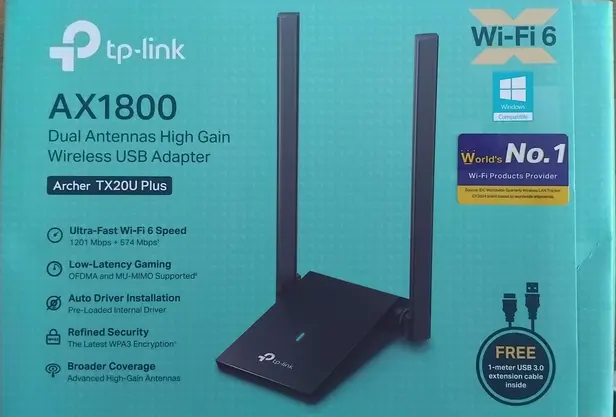
I purchased the TP-Link Archer TX20U Plus high-gain USB adapter for 990 baht.
Out of the box, the unit features dual adjustable, high-gain antennas designed to pull in a much stronger signal than any standard internal laptop card can manage.
It boasts Wi-Fi 6 capabilities, which is exactly what I needed to stabilize my local network performance.
However, there is one major downside right out of the gates: the absolutely pathetic 1-meter cable. The whole idea of an external adapter is to have the freedom to place it in different locations and adjust the antennas for the best possible speeds. A 1-meter cord barely gives you any slack. I currently have it sitting on a shelf just above my laptop, but I will go and buy a better, longer extension cable tomorrow so I can truly test its range.
Real-World Performance & Speed Tests
Even with the short cable limitation, the performance boost was immediate.
After setting up the hardware, my initial Wi-Fi speed test came back 4 X faster than what I was getting off my laptop’s built-in Wi-Fi card.
Even on a bad day I am achieving double the speed I was getting before.
Suddenly, the network drops disappeared.
My flight simulator stopped crashing, WordPress loaded instantly, and Netflix went back to streaming flawlessly.
An Important Technical Note: USB 3.0 vs USB 2.0
If you decide to pick up the TP-Link Archer TX20U, you need to pay attention to how you plug it in.
This device strictly requires a USB 3.0 slot to run at peak performance. You can easily identify this on your laptop by looking for the slot with the blue plastic inside.
While the adapter will technically fit and work in an older USB 2.0 slot, the older port acts as a bottleneck.
It will severely limit your bandwidth and won’t improve your speeds nearly as much. Make sure you have an available blue slot before buying!